

Glossary
In GameFabric, there are multiple objects you need to be aware of, that are referenced throughout the documentation. Their names and description are detailed in this section in alphabetical order.
Allocation Sidecar
The Allocation Sidecar is a Sidecar provided by GameFabric for automatic integration with the Allocator. It handles game server registration, allocation callbacks, and cleanup.
See Sidecar Containers for an overview and Automatically Registering Game Servers for configuration details.
Allocator
The Allocator is an optional service that manages a pool of ready-to-use game servers for session-based games. It acts as a broker between your matchmaker and GameFabric's infrastructure. The Allocator is not included by default and must be ordered separately.
The Allocator exposes two endpoints, each with its own authentication token:
- Registry (
/servers) — where game servers register and send keep-alives. Authenticated with the Registry Token. - Allocator (
/allocate) — where your matchmaker requests a game server. Authenticated with the Allocator Token.
For each Allocator you order, you receive both tokens.
The Allocator is typically used with Armadas for games where players are assigned to servers by matchmaking rather than choosing from a server list. For persistent servers where players browse and select their own server, use Formations without the Allocator.
See Server Allocation Overview for details on when to use the Allocator and integration options.
Agones
Agones is an open-source game server hosting and scaling framework built on Kubernetes. GameFabric uses Agones as its underlying orchestration layer to manage game server lifecycles, health checking, and scaling.
Game servers integrate with Agones through its SDK, which provides client libraries for multiple languages and engines. The SDK is used to signal lifecycle state (Ready, Allocated, Shutdown) and send health check pings.
See Using the Agones SDK for integration details and the Agones documentation for the full reference.
API
API stands for Application Programming Interface. GameFabric offers API access to every feature. Please see our dedicated GameFabric API Guide for more information.
Armada
An Armada is a collection of Fleets, distributed across multiple Sites within one Region. It can have multiple revisions, which are essentially different versions of the same Armada, as it gets updated.
Revisions are kept track of in order to allow you to roll back to a previous revision, as well as manage multiple revisions running in parallel (for example during a rollout upgrade)
Armadas are part of the Dynamic Fleets category in the UI. See also hosting model.
ArmadaSet
An ArmadaSet is the configuration for a set of Armadas that share the same Fleet template and automatic scaling strategy.
ArmadaSets are part of the Dynamic Fleets category in the UI. See also hosting model.
Branch
GameFabric runs its own internal Container registry proxy, which is where you should push your game server images to in order to have them available in Fleets. Those images are scoped by branch. For example, a standard use case would be to have a development branch and a production branch. The development branch would contain dev images to be used by a development Armada, while the production branch would only contain releases of the game server that make it to production.
BYOC
BYOC (Bring Your Own Cloud) is a capacity type where GameFabric manages resources within a customer's own cloud provider account (GCP, AWS, or Azure). The customer grants Nitrado access to create and manage Locations in their cloud infrastructure, while maintaining their own cloud subscription and billing relationship.
See also Configuring your Cloud Provider and Capacity Types.
Buffer node
A buffer node provides spare infrastructure capacity in a bare metal cluster, automatically used at no additional charge when needed during maintenance or node failures.
INFO
Buffer nodes provide spare infrastructure capacity. Buffer Size controls the number of game servers kept in the Ready state.
See Buffer nodes for details on automatic replacement capacity.
Buffer Size
The Buffer Size is the number of game servers kept in the Ready state, waiting to be allocated. Maintaining a buffer ensures players can be matched to a server quickly without waiting for a new server to start.
The Buffer Size can be set to a fixed value or managed automatically using Dynamic Buffer.
This game server buffer is distinct from buffer nodes, which provide spare infrastructure capacity.
See Armada Replicas and Buffer for configuration guidance.
CCU
CCU stands for Concurrent Users. It is a key metric that represents the total number of players who are actively playing on a game server at the same time.
Cluster
A cluster refers to a group of bare metal or cloud servers located in the same location. In the context of GameFabric, clusters are implemented as sites. While a "Cluster" refers to the physical or virtual grouping of servers, a "Site" represents the GameFabric-specific abstraction used to manage and interact with these clusters.
Container
A container is a lightweight, standalone executable package that includes everything needed to run your game server: code, runtime, system tools, and settings. Containers are a core Kubernetes concept. In GameFabric, your game server runs as a container, optionally alongside Sidecar containers within the same pod.
For more information, see the Kubernetes documentation.
Cordoned
When a Site is marked as cordoned, it becomes unschedulable. Allocated game servers continue to run until they shut down, but no new game servers get scheduled on that Site.
Degraded
A synchronization state indicating that configuration could not be deployed to one or more Sites. This can occur when Sites are unavailable, experiencing connectivity issues, or when all capacity in a Location has been deprovisioned.
Objects that can be Degraded: Armada, ArmadaSet, Formation, Secret, ConfigFile, Protection Protocol.
For Armadas, ArmadaSets, Formations, and Protection Protocols, the status.reason field provides additional context and is visible in the UI next to the affected object.
Dynamic Buffer
Dynamic Buffer is a feature that automatically adjusts the Buffer based on current game server demand. When enabled, GameFabric monitors the number of Ready and Allocated game servers, startup time, and demand on each Site, then scales the buffer accordingly.
WARNING
Dynamic Buffer is currently in Beta.
See Dynamically configuring the buffer size for details.
Dynamic Fleets
Dynamic Fleets is the UI category for session-based or match-based game server hosting. It contains ArmadaSets and Armadas, which automatically scale game server capacity based on demand.
See Identifying your Hosting Model for guidance on choosing between Dynamic Fleets and Persistent Servers.
Environment
Environments are a mechanism for isolating groups of resources. Resource names must be unique within each environment, but not across environments. They can therefore be used to separate production, staging, testing, and any other environments and ensure that they don't interfere. Alongside the RBAC features, it also allows limiting the access to certain environments from users.
Capacity is managed on a per Environment basis via Regions.
Export Store
An export store is a configuration object that targets one S3-compatible bucket for continuous delivery of audit log events. Each export store has a status: Active, Suspended, or Error.
See Audit log exports for setup and configuration instructions.
Fleet
A Fleet is a set of warm GameServers that are available to be allocated from. It is an Agones object, which you can find described in more details in their documentation reference. This resource is always managed by an Armada, and can't be configured through the UI any other way than by configuring the relevant Armada's Fleet Template.
Formation
A Formation acts as a template for individual game servers (Vessels) spawned within it. Vessels inherit all properties from their respective Formation, but environment variables and command line arguments can be overridden on a per-vessel basis.
Formations are part of the Persistent Servers category in the UI. See also hosting model.
GameFabric Cloud
GameFabric Cloud enables provisioning and deprovisioning of cloud Locations directly from GameFabric, increasing available server capacity without requiring a separate cloud provider subscription.
See also GameFabric Cloud.
GameFabric Help Center
The GameFabric Help Center is the central place for all self-service feature requests, orders, and cancellations. It is accessible from within the GameFabric UI via the "?" menu in the top navigation bar.
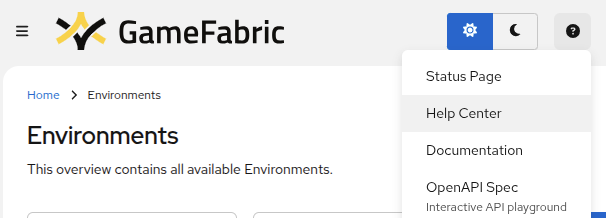
For access control details, see Editing Permissions.
Gateway Policies
See also SteelShield docs.
Group
See Editing Permissions.
Image promotion
Image promotion copies a container image from one branch to another and optionally assigns it a new tag. For example, after testing an image in a QA branch, you can promote it to a production branch.
In the UI, open the branch view, open the image's three-dot menu, and select Promote Image. Select the target Branch and optionally enter a new Tag.
To promote an image through the API, create an ImagePromotion resource. See Creating an ImagePromotion for an example.
Kubernetes
Kubernetes is the open-source container orchestration platform that powers GameFabric's infrastructure. It manages the deployment, scaling, and operation of your game servers across Sites. While GameFabric abstracts most Kubernetes complexity, some concepts like pods and containers appear in the documentation and UI.
For more information, see the Kubernetes documentation.
Location
A Location is a group of Sites that share a geographical area and other characteristics.
Locations are managed by Nitrado for all capacity types. To request bare metal or BYOC capacity, submit a request via the GameFabric Help Center. For GameFabric Cloud, you request capacity directly through the GameFabric UI.
See also Capacity Types and Region.
Mitigation
See also Ports and Protocols.
Observability tap
The observability tap exposes your GameFabric installation's monitoring data to external tooling. It provides read-only access to a Prometheus-compatible metrics API and a Loki-compatible logs API, allowing you to query metrics and logs from your own observability stack.
Access is not enabled by default and must be requested through your Customer Success Manager or the GameFabric Help Center.
See Observability tap for endpoint details and setup instructions.
Metric port
A container port with the port policy None that serves a Prometheus-style metrics endpoint. GameFabric scrapes it automatically. It is not exposed to the internet.
See Game server metrics.
User
See Editing Permissions.
Permission
See Editing Permissions.
Persistent Servers
Persistent Servers is the UI category for long-running game servers that have game or player progression associated with them. It contains Formations and Vessels, which allow custom configuration per individual game server.
See Identifying your Hosting Model for guidance on choosing between Persistent Servers and Dynamic Fleets.
Pod
A pod is a Kubernetes unit that runs one or more containers together with shared networking and storage. In GameFabric, each game server runs in its own pod alongside Sidecar containers.
For more information, see the Kubernetes documentation.
RBAC
Role-Based Access Control (RBAC) is the system used in the GameFabric to manage your team's access to the platform.
See also Editing Permissions.
Region
A Region is typically a geographic area made up of one or more Locations where resources can be hosted.
It has to be defined on a per-environment basis.
A Region contains at least one Region Type that classifies its infrastructure, for example baremetal and cloud. Region Types control how game servers are distributed and scaled across the Locations of the Region.
While defining, you can assign a custom priority to each location. This priority determines which location will be filled first.
Region Type
A Region Type defines a class of infrastructure (for example, baremetal or cloud) within a Region. Each Region Type has its own scaling parameters, and an Armada can have multiple Region Types per Region to balance cost and availability. When using the allocator, the Region Type priority determines which type is filled first.
Replica
A Replica is an individual game server instance within an Armada. Each Replica is functionally identical to others in the same Armada and cannot be configured independently. Replicas are dynamically created and terminated by the Armada’s automated scaling logic.
Revision
A revision is a discrete configuration of either an ArmadaSet, Armada or Formation. They are numbered consecutively starting from 1. Revisions are kept to allow you to roll back to a previous configuration, as well as manage multiple revisions running in parallel (for example during a rollout upgrade).
INFO
The rollback button in the UI is only available for Armadas.
INFO
The revision of an Armada in an ArmadaSet is independent from the revision of its controlling ArmadaSet.
E.g: Due to its flexible nature, an ArmadaSet can be revision 12 and control Armadas
- "a" revision 12
- "b" revision 12
- "c" revision 8
Role
See Editing Permissions.
Scheduling Strategy
The scheduling strategy controls how game servers are placed across nodes when they are started.
Available options:
- Packed: Game servers gravitate toward shared nodes using pod affinity (default)
- Distributed: Game servers spread across nodes based on available resources
See Scheduling Strategy for configuration details.
Secret
See Secrets.
Sidecar
A sidecar is a container that runs alongside your game server container within the same pod, sharing network and storage. Sidecars provide additional functionality without modifying your game server code.
GameFabric provides the Allocation Sidecar for automatic allocator integration. You can also add custom sidecars for monitoring, logging, debugging, or other purposes.
Sidecars can be added to Armadas, ArmadaSets, Formations, and Vessels.
See Sidecar Containers for a comprehensive guide.
Shutdown hints
Shutdown hints are annotations on the Agones GameServer object that include a shutdown deadline. Your game server is expected to observe them and exit before the deadline.
Site
A Site is the capacity (cluster of bare metal or cloud servers) that belongs to a Location.
Sites are managed by Nitrado. For GameFabric Cloud Locations, Sites are automatically created when provisioning capacity through the UI.
A Site can be marked as cordoned, making it unschedulable. Allocated game servers continue to run until they shut down, but no new game servers get scheduled on that Site.
This can be the case, for example, when a Site has just been provisioned to prevent premature allocations, or when a Site is being prepared for deprovisioning.
Service Account
An account used for accessing GameFabric programmatically. For details, see the documentation in Service Accounts.
State
Every GameFabric resource exposes a status.state field that reflects its current condition. States are specific to each resource type:
- Vessels:
Pending,Scheduled,Created,Starting,Running,Terminating,Error,Suspended. See Vessel states. - Armadas and ArmadaSets:
Synced, Degraded. - Formations:
Synced, Degraded.
When a resource is not in its expected state, the status.reason field may provide additional context where available, visible in the UI and via the API.
SteelShield™
SteelShield is a DDoS protection system designed for the specific purpose of protecting game servers from large scale DDoS attacks.
See also SteelShield docs.
Token Service
The Token Service is a public-facing API provided by SteelShield for Proof of Identity authentication. It verifies game client credentials and issues SteelShield Tokens that authorize game traffic to pass through DDoS protection.
See Token Service Overview for details on how it works, and Managing Token Services for setup instructions.
Terraform provider
GameFabric offers its own Terraform provider to interact with the platform. See the Terraform provider documentation for installation and usage instructions.
Protection Status
Status of the SteelShield protection status for each Site on the Sites overview in the GameFabric UI.
See also SteelShield docs.
Protection Protocol
See also Ports and Protocols.
Vessel
A Vessel is a single named game server instance. It can, but doesn't have to be part of a Formation. Each Vessel can be configured completely independently.
Vessels are part of the Persistent Servers category in the UI. See also hosting model.
See Vessel states for a description of each state a vessel can be in.
Wrapper
A wrapper can be used to call your game server binary in order to provide additional functionality.
We provide a wrapper called Game Server Wrapper.
You could also write your own wrapper.